รับจ่ายของคุณ
อยู่ในเครื่องคุณ
Your money,
on your phone
แอปจดรายรับรายจ่ายที่ไม่ต้องสร้างบัญชี ไม่มีโฆษณา ไม่มีการติดตาม สแกนสลิปได้ ดูรายงานและปฏิทิน ตามรายการประจำและ Subscription และใช้งานได้แม้ไม่มีอินเทอร์เน็ต
An income and expense tracker with no sign-up, no ads and no tracking. Scan Thai bank slips, see reports and a calendar, keep on top of bills and subscriptions — even offline.
- ใช้ฟรี
- Premium ทดลองฟรี 3 เดือน
- ไม่มีโฆษณา
- เข้ารหัส AES-256
- ใช้ออฟไลน์ได้
- iOS · Android
- Free to use
- Premium: 3 months free
- No ads
- AES-256 encrypted
- Works offline
- iOS · Android



App Store เร็ว ๆ นี้App Store coming soon
ทำอะไรได้บ้างWhat it does
ทุกอย่างทำงานบนเครื่องของคุณ ไม่มีเซิร์ฟเวอร์ของเราEverything runs on your phone. There is no server of ours.
จดง่ายในไม่กี่วินาที
Quick to record
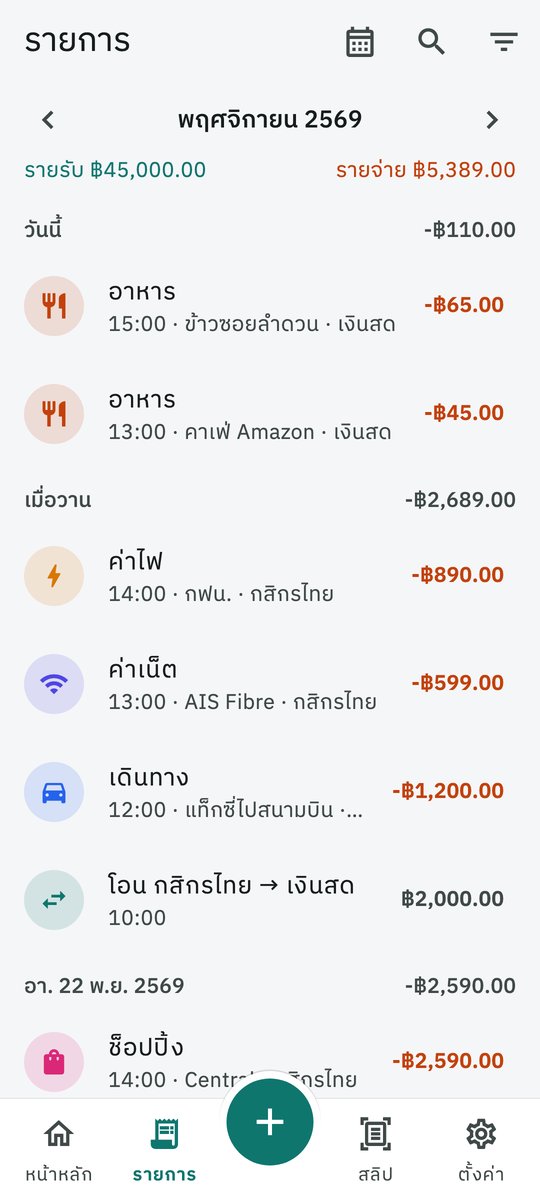
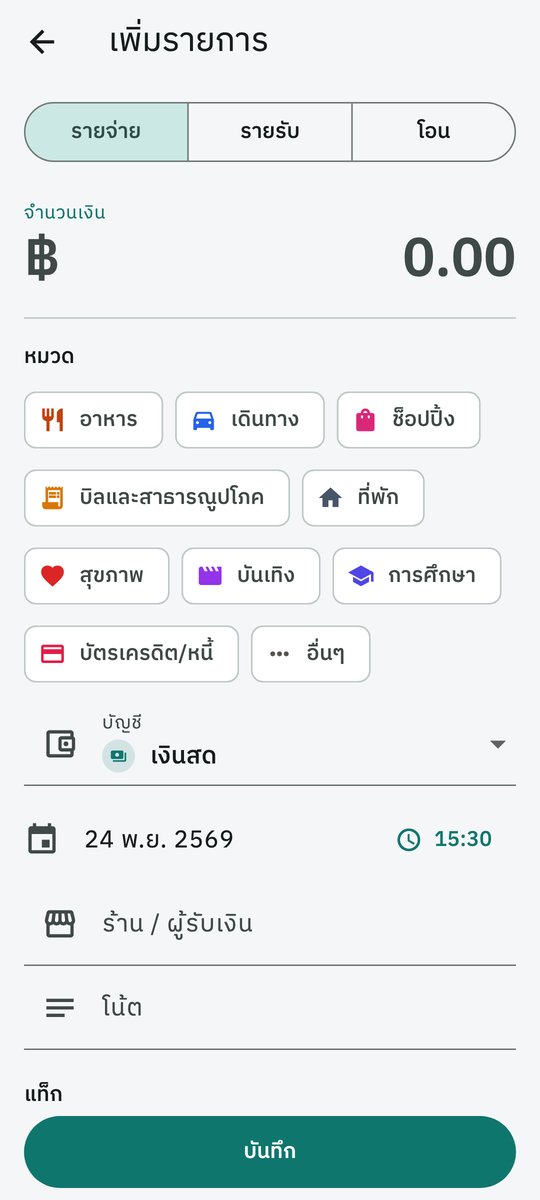
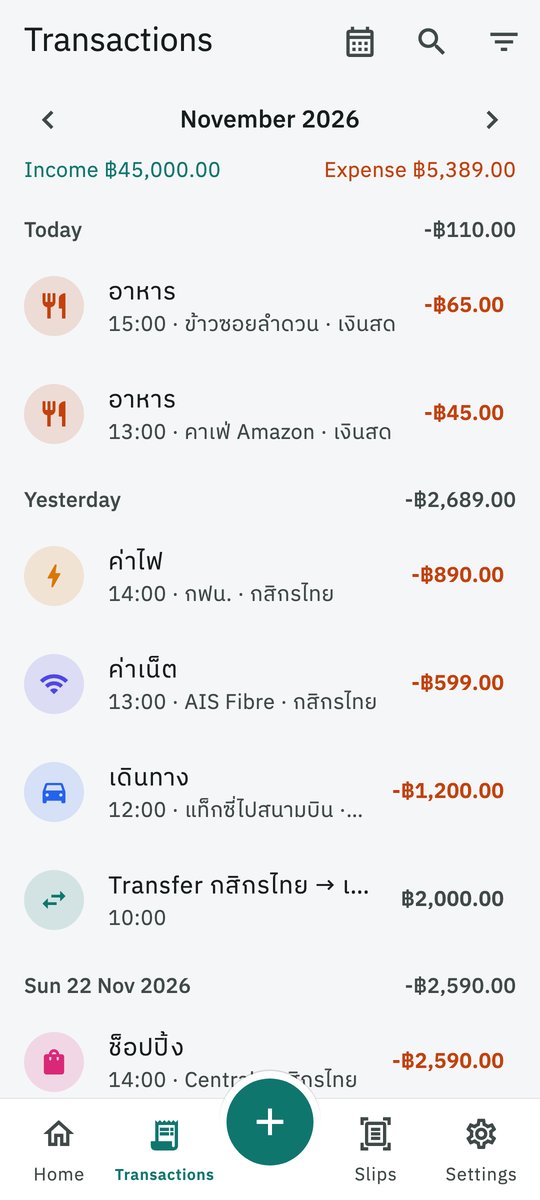
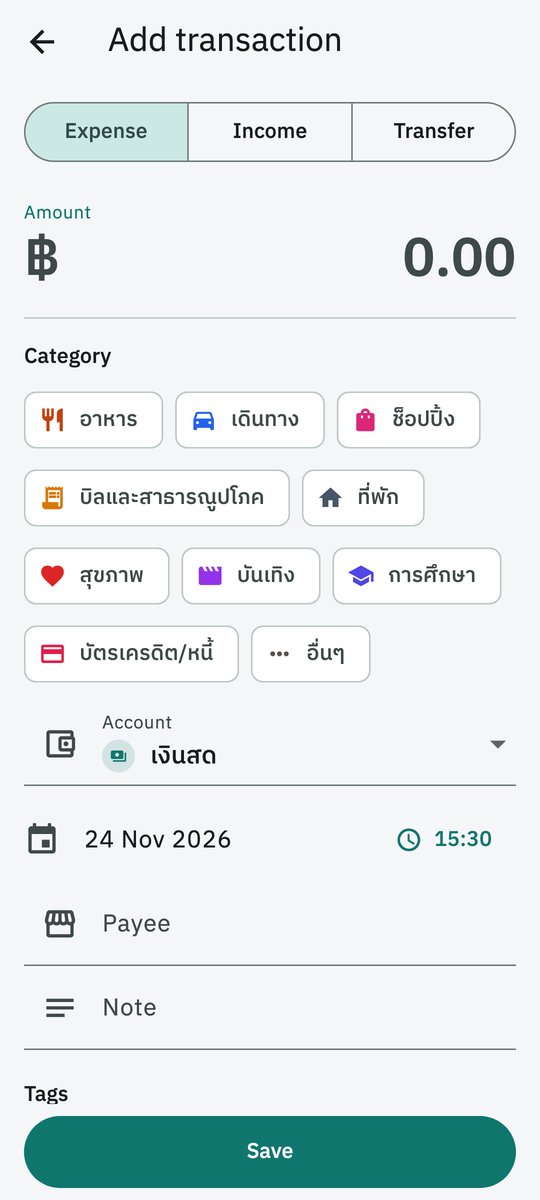
รายจ่าย รายรับ โอนระหว่างบัญชี เลือกหมวดด้วยแตะเดียว แท็ก แนบรูปใบเสร็จ
Expenses, income and transfers; one-tap categories, tags and receipt photos.
สแกนสลิปอัตโนมัติ
Slip scanning
อ่านสลิปธนาคารไทย บิลค่าน้ำค่าไฟ บนเครื่อง แล้วรอคุณตรวจ · Premium: หาสลิปใหม่จากอัลบั้มให้เอง
Reads Thai bank slips and utility bills on the phone and waits for your review. Premium: finds new ones in your albums.
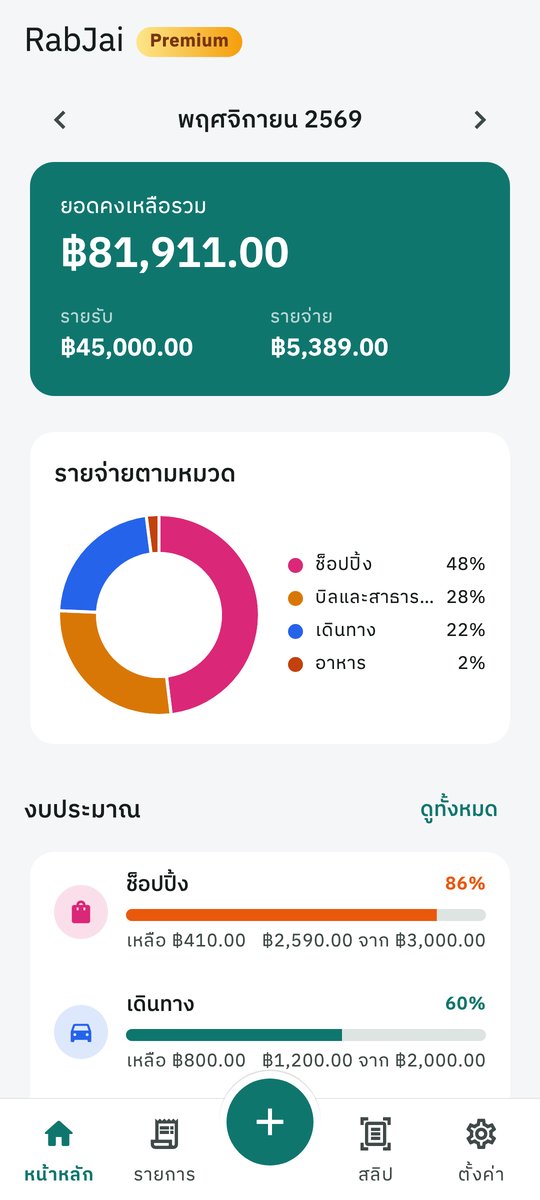
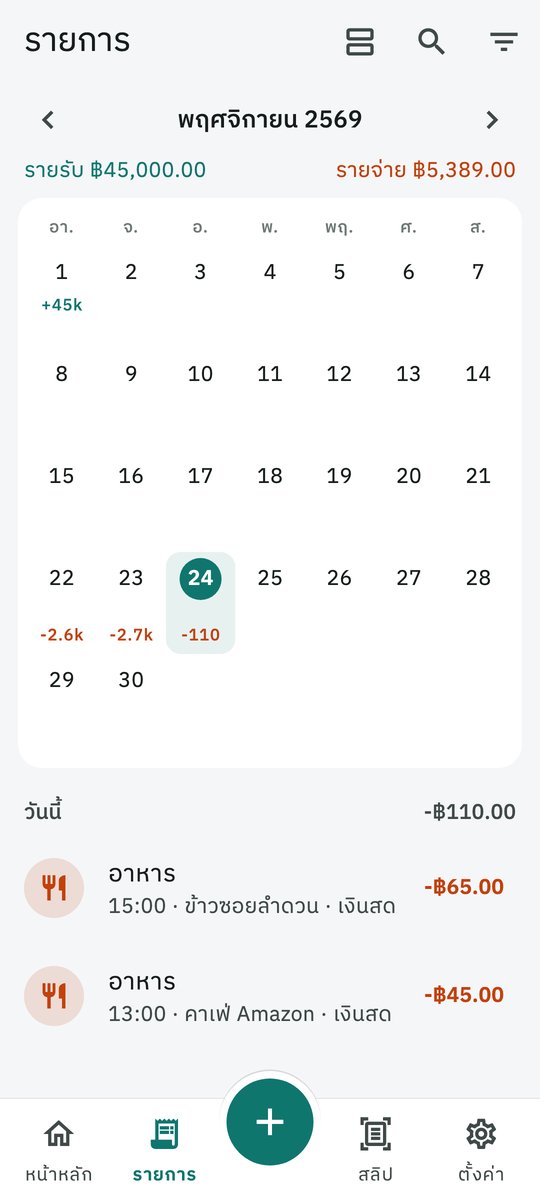
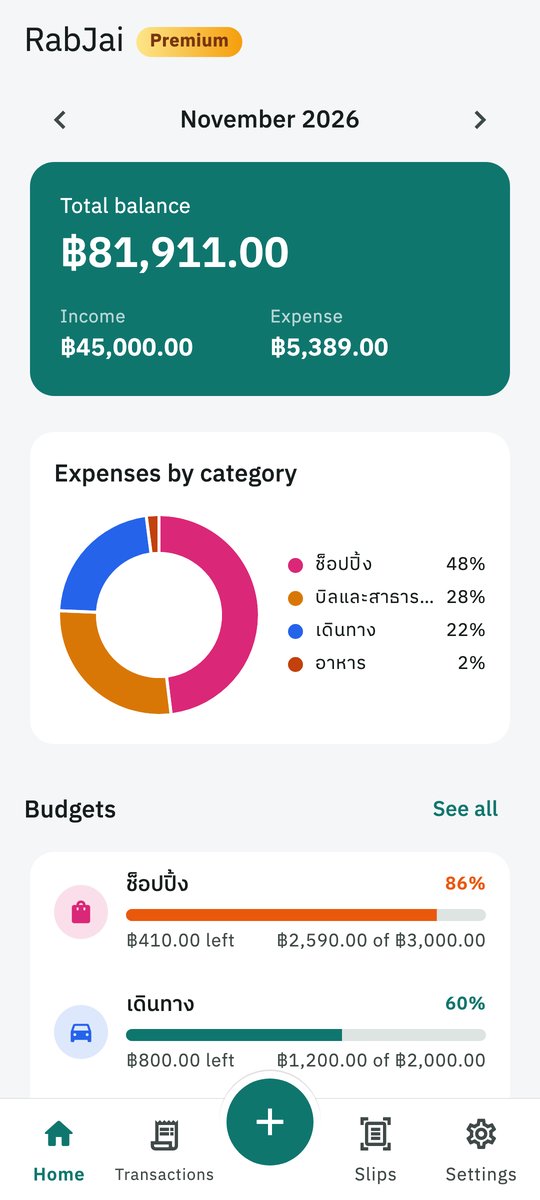
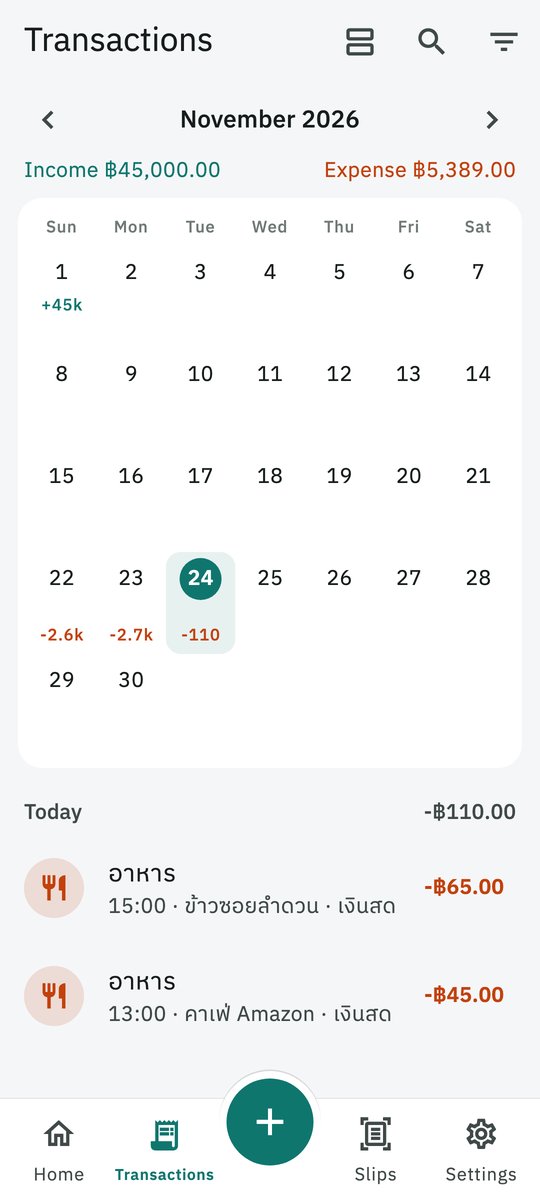
รายงานและปฏิทิน
Reports & calendar
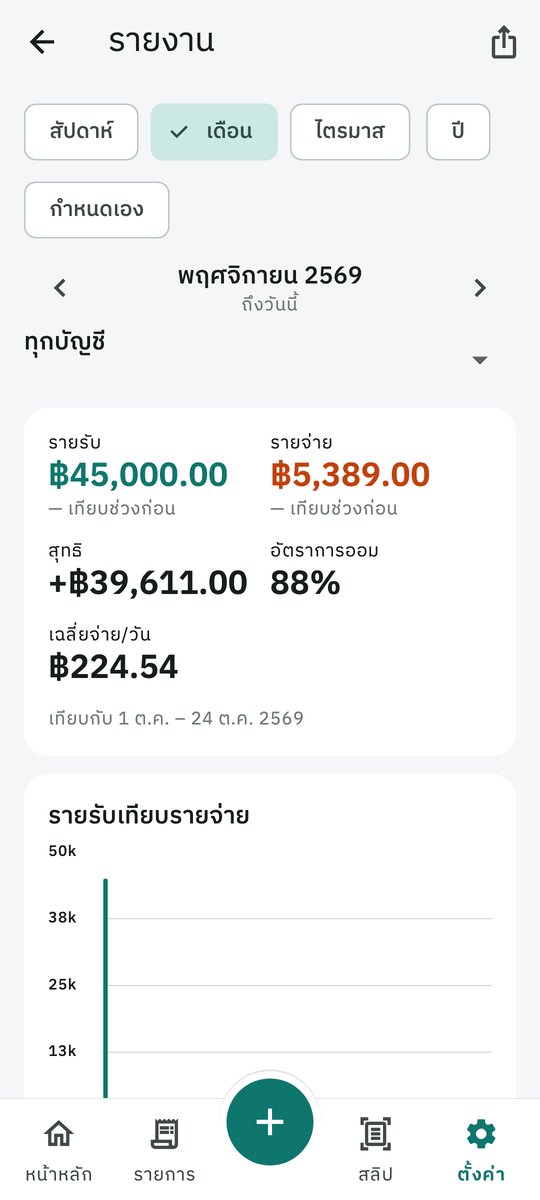
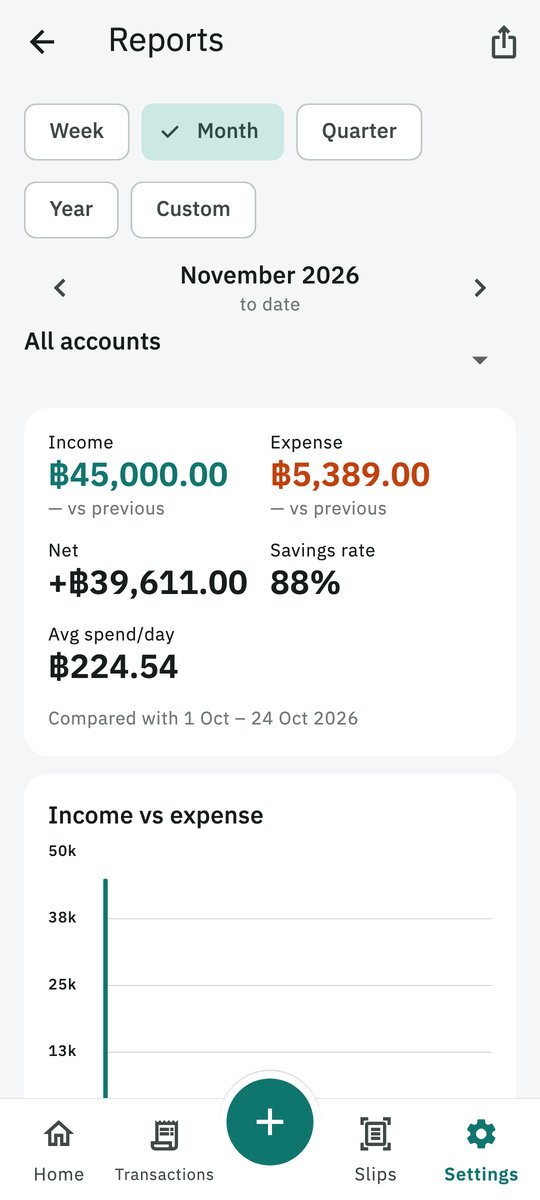
สรุปรายเดือนพร้อมกราฟ ปฏิทินดูยอดรายวัน ส่งออก CSV · Premium: รายสัปดาห์ ไตรมาส ปี และ PDF Excel
Monthly summaries with charts, a day-by-day calendar and CSV export. Premium: week, quarter and year, plus PDF and Excel.
รายการประจำและ Subscription
Recurring & subscriptions
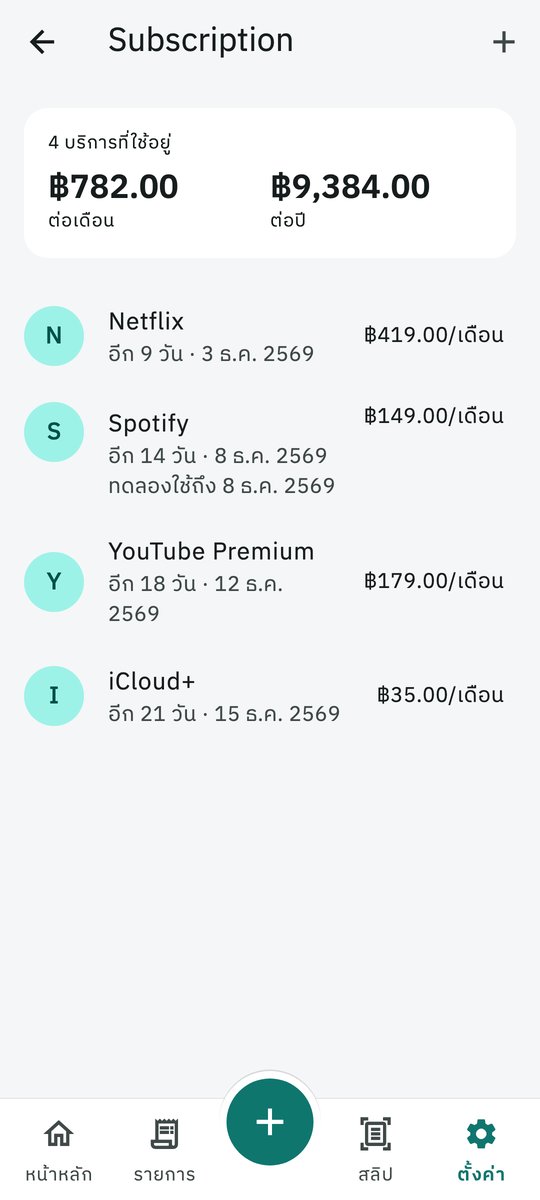
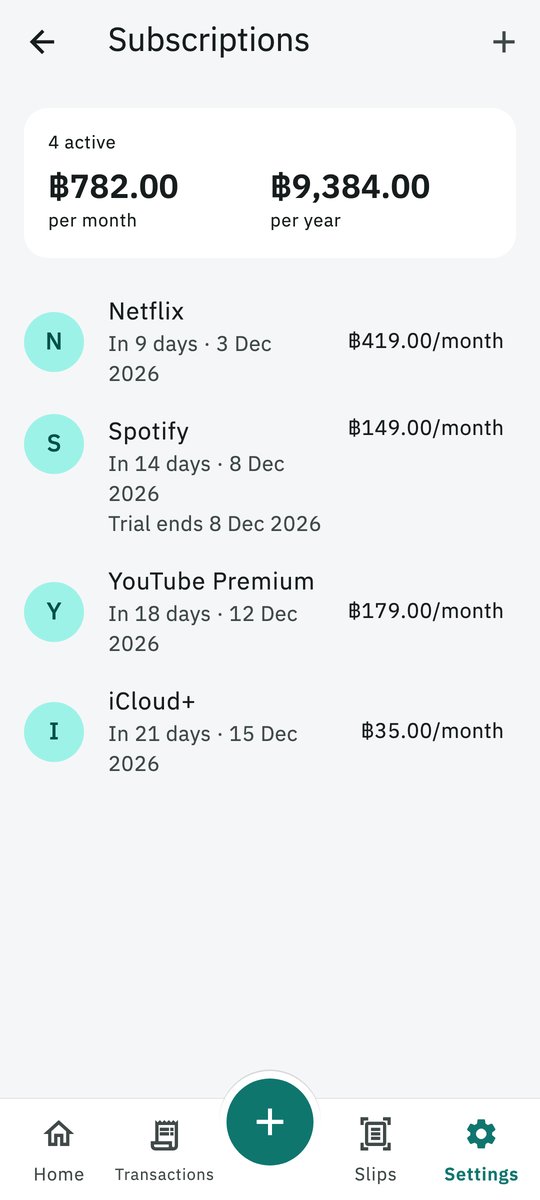
เงินเดือน ค่าเน็ต ค่าผ่อน ลงให้ตามกำหนด และเตือนก่อนต่ออายุ Subscription กันลืมยกเลิก
Salary, bills and instalments on schedule, plus reminders before a subscription renews so you can cancel in time.
ทุกบัญชีในที่เดียว
Every account in one place
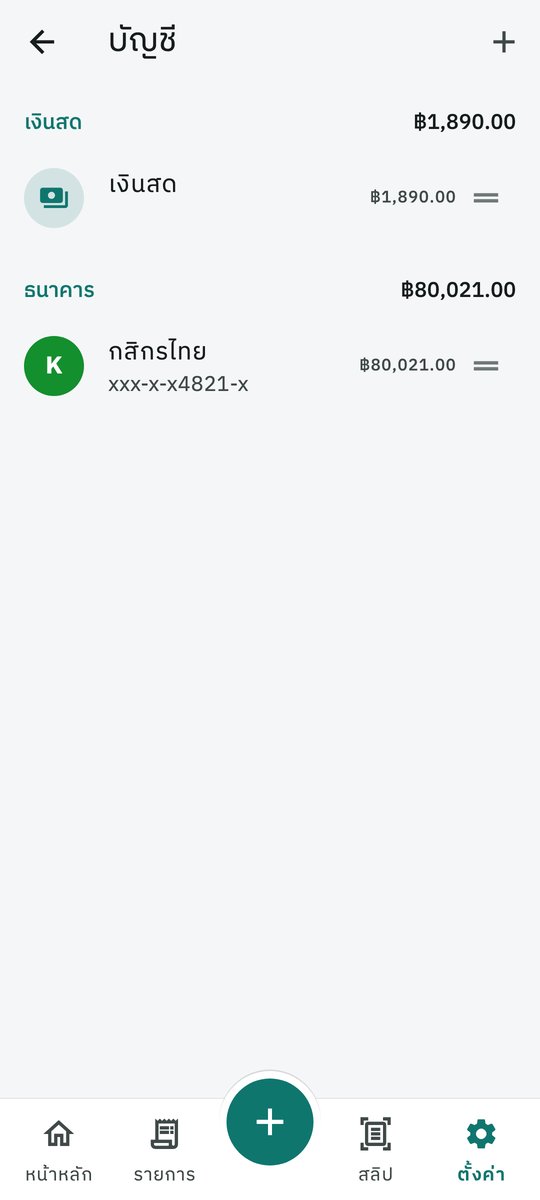
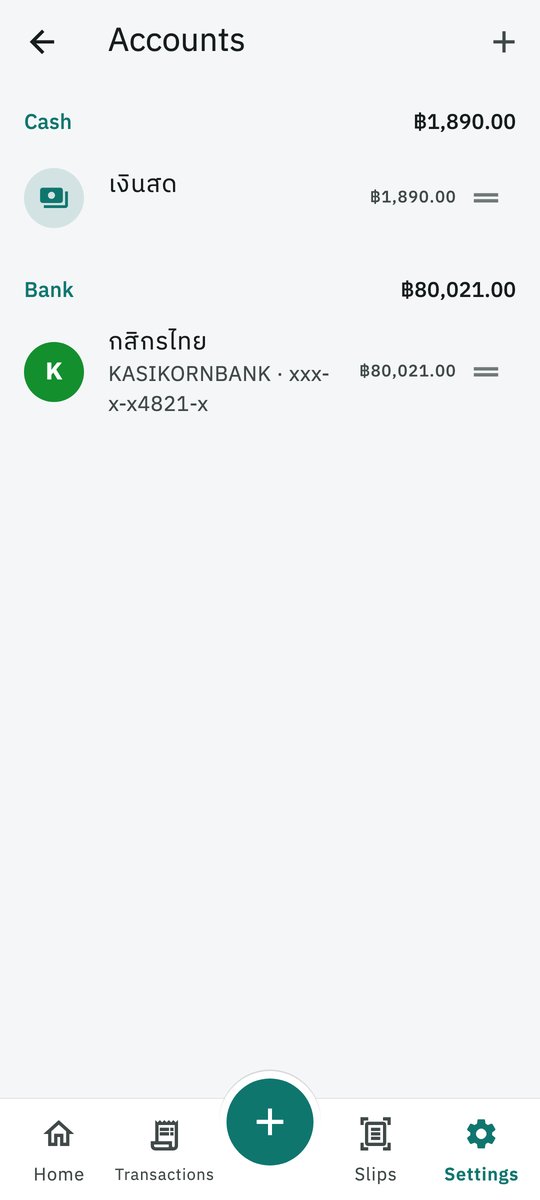
เงินสด ธนาคาร บัตรเครดิต e-Wallet กองทุน แยกกลุ่ม จัดลำดับเอง ใส่สีและป้ายธนาคาร
Cash, banks, credit cards, e-wallets and funds, grouped and in your own order, with bank colours.
หลายสกุลเงินและคริปโต Premium
Currencies & crypto Premium
บัญชีดอลลาร์ เยน ยูโร BTC ETH USDT และอื่น ๆ ใส่อัตราแลกเปลี่ยนเอง รวมยอดเป็นบาท
Dollar, yen, euro, BTC, ETH, USDT and more, with rates you set; totals in baht.
สำรองข้อมูลแบบเข้ารหัส
Encrypted backups
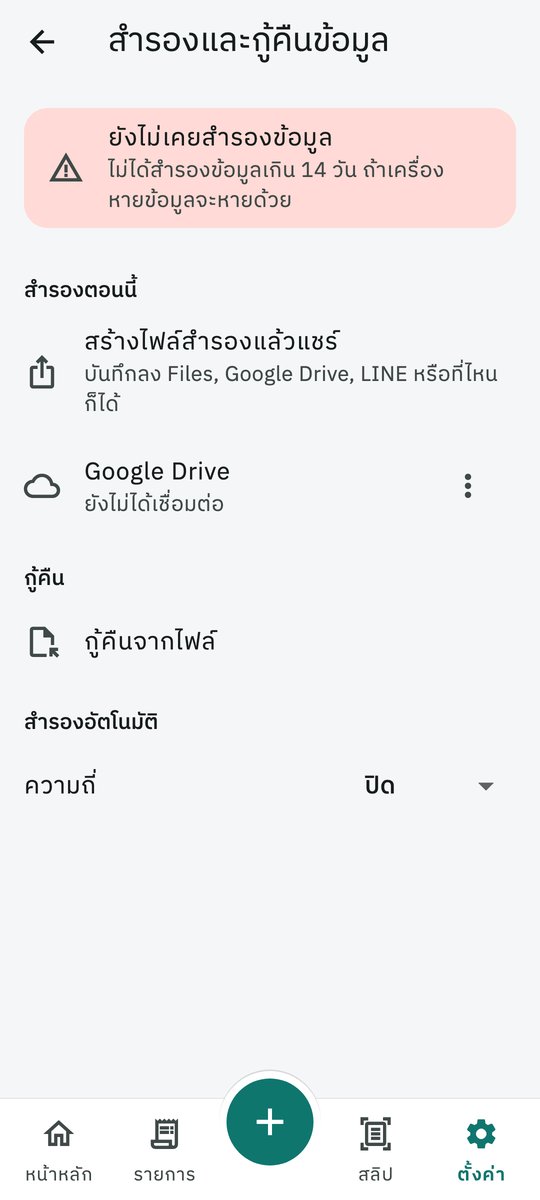
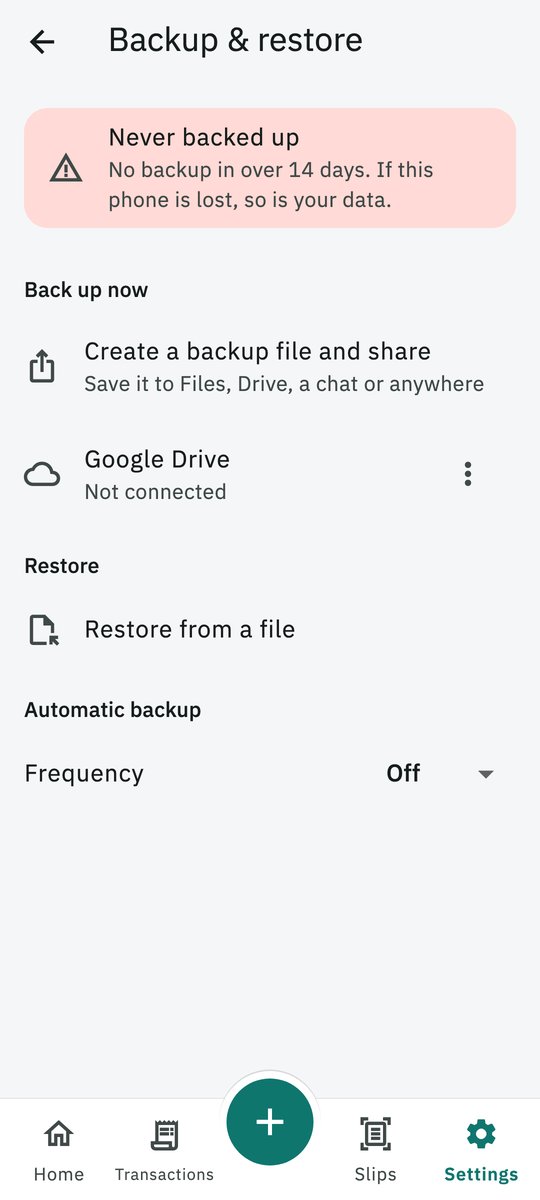
เก็บเป็นไฟล์ ย้ายเครื่อง Android ↔ iPhone ได้ · Premium: สำรองขึ้น Google Drive, OneDrive, iCloud ของคุณเองแบบอัตโนมัติ
To a file, and move between Android and iPhone. Premium: automatic backups to your own Google Drive, OneDrive or iCloud.
ปลอดภัยและเป็นส่วนตัว
Private by design
ฐานข้อมูลเข้ารหัส ล็อกด้วย PIN, Face ID หรือลายนิ้วมือ ไม่มีบัญชีผู้ใช้ ไม่มี analytics
Encrypted database, PIN / Face ID / fingerprint lock, no accounts, no analytics.
ฟรี และ PremiumFree and Premium
จดรายรับรายจ่ายครบทุกวันได้ฟรี ไม่จำกัดจำนวนรายการ ไม่มีโฆษณา Premium ช่วยให้อัตโนมัติและวิเคราะห์ได้ลึกขึ้นEveryday tracking is free, with no limit on transactions and no ads. Premium adds automation and deeper analysis.
ฟรี
฿0
ใช้ได้ตลอด ไม่ต้องสร้างบัญชี
- รายรับ รายจ่าย โอน หมวด แท็ก แนบรูป ไม่จำกัด
- บัญชีไม่จำกัด เงินสด ธนาคาร บัตร e-Wallet กองทุน
- หน้าหลัก ปฏิทิน และรายงานรายเดือน
- สแกนสลิปทีละใบ (เลือกรูป กล้อง หรือแชร์เข้าแอป)
- รายการประจำ 3 รายการ · Subscription 3 รายการ
- ส่งออก CSV
- สำรองเป็นไฟล์ และกู้คืนได้ทุกแบบ รวมจากคลาวด์
- เข้ารหัสฐานข้อมูล ล็อก PIN / Face ID ลบข้อมูลทั้งหมด
Premium ทดลองฟรี 3 เดือน
฿49 / เดือน · ฿390 / ปี
ทุกอย่างในแบบฟรี และ
- สแกนสลิปอัตโนมัติจากอัลบั้ม
- อ่านสลิปด้วย AI (ใช้ API key ของคุณเอง)
- สำรองขึ้น Google Drive, OneDrive, iCloud และสำรองอัตโนมัติ
- รายงานรายสัปดาห์ ไตรมาส ปี และช่วงที่เลือกเอง
- ส่งออก PDF และ Excel
- งบประมาณรายหมวด พร้อมเตือนเมื่อใกล้หมดและเกินงบ
- เป้าหมายการออม ผูกกับบัญชี บอกว่าต้องเก็บเดือนละเท่าไร
- หลายสกุลเงินและคริปโต
- รายการประจำและ Subscription ไม่จำกัด
- รูปของคุณเองเป็นไอคอนบัญชี
- ธีมสีของแอป และเอฟเฟกต์ตามเทศกาล
Free
฿0
Forever, no account needed
- Unlimited income, expenses, transfers, categories, tags and photos
- Unlimited accounts: cash, banks, cards, e-wallets, funds
- Home, calendar and monthly reports
- Scan slips one at a time (photo, camera or share to the app)
- 3 recurring items · 3 subscriptions
- CSV export
- Backup to a file, and every kind of restore, including from the cloud
- Encrypted database, PIN / Face ID lock, delete all data
Premium 3 months free
฿49 / month · ฿390 / year
Everything in Free, plus
- Automatic slip scanning from your albums
- AI slip reading (with your own API key)
- Backup to Google Drive, OneDrive, iCloud, and automatic backups
- Weekly, quarterly, yearly and custom reports
- PDF and Excel export
- Category budgets with alerts near and over the limit
- Savings goals linked to your accounts, with what to save each month
- Multiple currencies and crypto
- Unlimited recurring items and subscriptions
- Your own photo as an account icon
- Colour themes and festival effects
สมัครผ่าน App Store หรือ Google Play ในแอป (ตั้งค่า → RabJai Premium) ทดลองฟรี 3 เดือนสำหรับผู้สมัครครั้งแรก จากนั้นสโตร์ต่ออายุและตัดเงินอัตโนมัติจนกว่าคุณจะยกเลิก ยกเลิกได้ทุกเมื่อในการตั้งค่าการสมัครของสโตร์ อย่างน้อย 24 ชั่วโมงก่อนรอบถัดไป ถ้าไม่ต่อ แอปกลับเป็นแบบฟรีและข้อมูลไม่หาย ราคาอาจต่างตามประเทศ
Subscribe in the app (Settings → RabJai Premium) through the App Store or Google Play. New subscribers get 3 months free; after that the store renews and charges automatically until you cancel. Cancel any time in your store's subscription settings, at least 24 hours before the next period. If you stop, the app goes back to Free and keeps all your data. Prices may vary by country.
หน้าตาแอปA look inside
เลื่อนดูได้ · ภาพจากแอปจริงพร้อมข้อมูลตัวอย่างSwipe to see more · from the app with sample data
เราไม่เห็นข้อมูลของคุณWe never see your data
ไม่มีบัญชีผู้ใช้ ไม่มี analytics ไม่มีโฆษณา ข้อมูลอยู่ในเครื่องคุณ และในที่สำรองที่คุณเลือกเองเท่านั้น · อ่านนโยบายความเป็นส่วนตัว
No accounts, no analytics, no ads. Your data stays on your phone and in backups you choose. · Read the privacy policy
คำถามที่พบบ่อยFAQ & support
คำถามที่พบบ่อย ถ้ายังไม่ได้คำตอบ ติดต่อCommon questions. Still stuck? Email support@rabjai.app
ข้อมูลการเงินของฉันปลอดภัยไหม ใครเห็นได้บ้าง
ข้อมูลอยู่ในเครื่องคุณเท่านั้น เข้ารหัส AES-256 (SQLCipher) ด้วยกุญแจที่เก็บใน Keychain/Keystore ของเครื่อง ไม่ต้องสร้างบัญชี ไม่มีเซิร์ฟเวอร์ของเรา ไม่มีโฆษณาและการติดตาม เราจึงไม่เห็นข้อมูลของคุณ
ใช้ฟรีได้ไหม Premium ต่างกันยังไง
ฟรีจดรายรับรายจ่ายได้ครบ ไม่จำกัดจำนวนรายการ ไม่มีโฆษณา Premium (฿49/เดือน หรือ ฿390/ปี ทดลองฟรี 3 เดือน) เพิ่มระบบอัตโนมัติ เช่น สแกนสลิปจากอัลบั้มเอง สำรองขึ้นคลาวด์เอง งบประมาณ เป้าหมายการออม และส่งออก PDF/Excel
สแกนสลิปธนาคารไหนได้บ้าง
สลิปโอนเงินและพร้อมเพย์ของธนาคารไทย เช่น กสิกรไทย ไทยพาณิชย์ กรุงไทย กรุงเทพ กรุงศรี ทีทีบี ออมสิน ธ.ก.ส. อาคารสงเคราะห์ ยูโอบี เกียรตินาคินภัทร แลนด์ แอนด์ เฮ้าส์ และทิสโก้ อ่านในเครื่อง ไม่ส่งรูปออกไปไหน
ย้ายไปเครื่องใหม่
ตั้งค่า → สำรองและกู้คืนข้อมูล → สำรองข้อมูล แล้วกู้คืนบนเครื่องใหม่ ย้ายข้าม Android ↔ iPhone ได้
ลืมรหัสผ่านของไฟล์สำรอง
ไฟล์สำรองเข้ารหัสด้วยรหัสผ่านของคุณ ไม่มีใครเปิดได้ถ้าไม่มีรหัส รวมถึงเราด้วย ให้ตั้งรหัสใหม่แล้วสำรองข้อมูลใหม่จากเครื่องที่ยังมีข้อมูลอยู่
ลืม PIN
ถ้าเปิด Face ID หรือลายนิ้วมือไว้ ใช้ปลดล็อกได้ ถ้าไม่ได้เปิด ต้องลบแอปแล้วติดตั้งใหม่ จากนั้นกู้คืนจากไฟล์สำรอง
สแกนสลิปแล้วอ่านผิด
แก้ได้ในกล่อง "รอตรวจ" ก่อนบันทึก หรือเปิดการอ่านด้วย AI (ไม่บังคับ ใช้ API key ของคุณเอง) สำหรับสลิปที่อ่านยาก
อัตราแลกเปลี่ยนมาจากไหน
คุณใส่เองที่ ตั้งค่า → สกุลเงินและอัตราแลกเปลี่ยน แอปไม่ดึงอัตราจากอินเทอร์เน็ต รายรับรายจ่ายที่ไม่ใช่บาทเก็บมูลค่าเป็นบาทตอนบันทึกไว้ด้วย
เอาข้อมูลไปใช้ต่อใน Excel ได้ไหม
ได้ ที่ ตั้งค่า → รายงาน → ส่งออก เลือก Excel, CSV หรือ PDF ไฟล์ที่ส่งออกไม่ได้เข้ารหัส เก็บให้ดี
ยกเลิก Premium ยังไง
iPhone: แอป Settings → ชื่อของคุณ → การสมัครรับ (Subscriptions) → RabJai · Android: Google Play → โปรไฟล์ → การชำระเงินและการสมัครใช้บริการ → การสมัครใช้บริการ → RabJai ยกเลิกระหว่างทดลองฟรีจะไม่ถูกเก็บเงิน
หมด Premium แล้วข้อมูลหายไหม
ไม่หาย ทุกอย่างที่บันทึกไว้ยังอยู่และดูได้ รวมถึงบัญชีสกุลเงินอื่น แอปแค่ปิดสแกนอัตโนมัติ AI และการสำรองขึ้นคลาวด์อัตโนมัติ และกลับเป็นแบบฟรี
เปลี่ยนเครื่องแล้ว Premium ยังอยู่ไหม
อยู่ ถ้าใช้ Apple ID หรือบัญชี Google เดิม กด "กู้คืนการซื้อ" ที่ ตั้งค่า → RabJai Premium
ใช้งานไม่มีเน็ตได้ไหม
ได้ทุกอย่าง ยกเว้นการสำรองขึ้นคลาวด์และการอ่านสลิปด้วย AI
Is my financial data safe? Who can see it?
Your data lives only on your phone, encrypted with AES-256 (SQLCipher) using a key kept in the phone's Keychain/Keystore. There is no account, no server of ours, no ads and no tracking, so we never see your data.
Is it free? What does Premium add?
Free covers everyday tracking with unlimited transactions and no ads. Premium (฿49/month or ฿390/year, 3 months free) adds automation: scanning slips from your album, automatic cloud backup, budgets, savings goals and PDF/Excel export.
Which bank slips can it scan?
Transfer and PromptPay slips from Thai banks, including KBank, SCB, Krungthai, Bangkok Bank, Krungsri, ttb, GSB, BAAC, GHB, UOB, KKP, LH Bank and TISCO. Slips are read on the phone and never uploaded.
Moving to a new phone
Settings → Backup & restore → Back up, then restore on the new phone. Android ↔ iPhone works.
Forgot the backup password
Backups are encrypted with your password; nobody can open them without it, including us. Make a new backup with a new password from a phone that still has the data.
Forgot the PIN
Use Face ID or fingerprint if you turned it on. Otherwise reinstall the app and restore from a backup.
A slip was read wrong
Fix it in the review inbox before saving, or turn on the optional AI reading (your own API key) for hard slips.
Where do exchange rates come from?
You enter them in Settings → Currencies & rates. The app never fetches rates. Non-baht income and expenses also keep their baht value from when you recorded them.
Can I use my data in Excel?
Yes: Settings → Reports → Export, then Excel, CSV or PDF. Exported files are not encrypted, so keep them safe.
How do I cancel Premium?
iPhone: Settings app → your name → Subscriptions → RabJai. Android: Google Play → profile → Payments & subscriptions → Subscriptions → RabJai. Cancelling during the free trial means you are not charged.
What happens to my data when Premium ends?
Nothing is lost. Everything you recorded stays and can be viewed, including foreign-currency accounts. The app turns off automatic scanning, AI and automatic cloud backup, and goes back to Free.
New phone — do I keep Premium?
Yes, with the same Apple ID or Google account: tap "Restore purchases" in Settings → RabJai Premium.
Does it work offline?
Everything does, except cloud backup and AI slip reading.
ข้อตกลงการใช้งานTerms
- แอปให้บริการตามสภาพ (as is) โดยไม่มีการรับประกันใด ๆ
- ข้อมูลในแอปไม่ใช่คำแนะนำทางการเงิน
- ข้อมูลอยู่ในเครื่องของคุณและในที่สำรองที่คุณเลือก คุณเป็นผู้ดูแลการสำรองข้อมูลเอง
- Provided as is, without warranty.
- Nothing in the app is financial advice.
- Your data stays on your phone and in backups you choose; you are responsible for them.